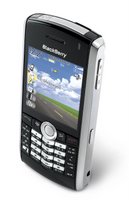
 OO... Guess who's got a new Blackberry Pearl?
Those who know me well also know that I could care less what model mobile phone I have as long as it's sturdy and reliable. For example, back in the 90s I kept my old Sony Ericsson for a good 5 years... I believe I brought it into the new millennium with me. :P OK, I'm not going to lie to you... it has to look somewhat appealing.
I picked up the Blackberry pearl for a number of reasons. My dad has been tossing around the idea of acquiring a Blackberry for awhile now. The only thing holding him back was... he "won't know how to use it". Let's put it this way... he's still using his old Star TAC from donkey years ago... and his PDA is a Palm V (backlit w/ monochrome screen). He might as well be using a stone tablet with a chisel :D shh... don't tell him I said that. More importantly, my Samsung A670 is dying. Remember the problem I was having with my laptop? Ya, it happened with my mobile phone too... wtf. The screen doesn't light up unless the flip is in a certain position...
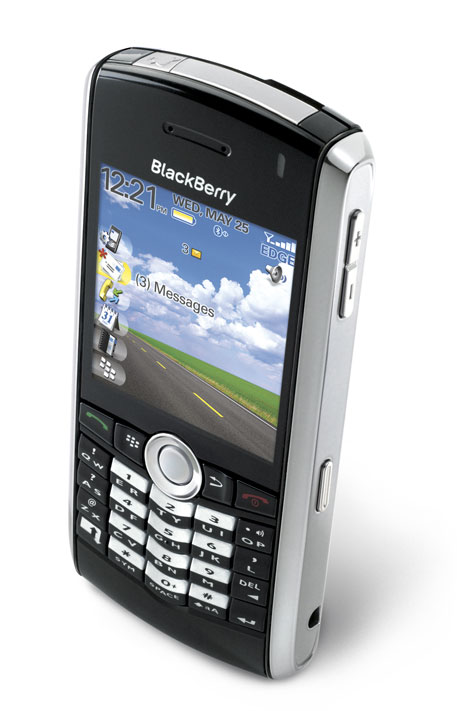
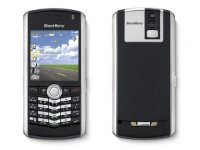 The Pearl is a thing of beauty ;) RIM finally decided to streamline the Blackberry and move away from the
 hideous traditional BBerry. I never really gave BBerry a second thought until I saw the Pearl. Though I've always loved the functionality... the design never appealed to me... anyone who has ever seen one will surely agree with me. Granted, with screens up to 320x240 pixels displaying up to 65000 colors it's hard to resist, right? As nice as it is to have a screen that size, it also played a role in making the handheld very awkward to use as a phone.
Up 'till now the BBerry has been strictly business! With an integrated address book which allows you to choose what task to do next, email, sms, place a call... and the capability to synchronize with Domino, Exchange, GroupWise, what business can turn it down? The BBerry also includes a calendar, organizer, wireless internet, instant messaging, maps (yes, even GPS!), phone capabilities, the list goes on!
With the pearl also comes new technology. The interface is fundamentally the same, a desktop with intuitive icons. The innovation (and, I'm guessing, source of the name) is the Pearl-looking trackball that has replaced the scroll wheel. This new feature makes navigation a cinch allowing users to move in 4 directions.
My favorite features are:
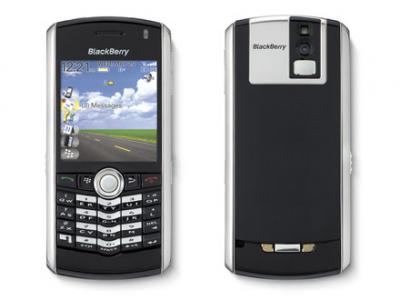
Sleek design (all black with chrome side bevels). The Pearl has an all-black glossy finish and nifty two-tone keys where the number pad is.
MP3 support. I can store all my favorite songs and listen to them whenever/wherever I want to. It has choice between single playback, folder playback, queuing, repeating & shuffling. Essentially full MP3 player capabilities (with stereo sound).
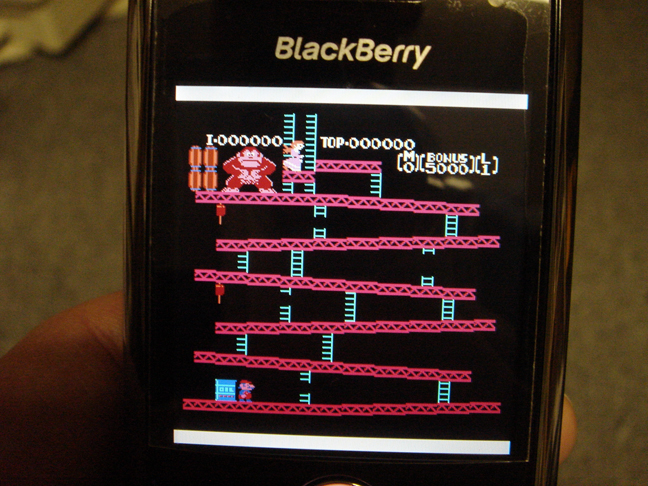
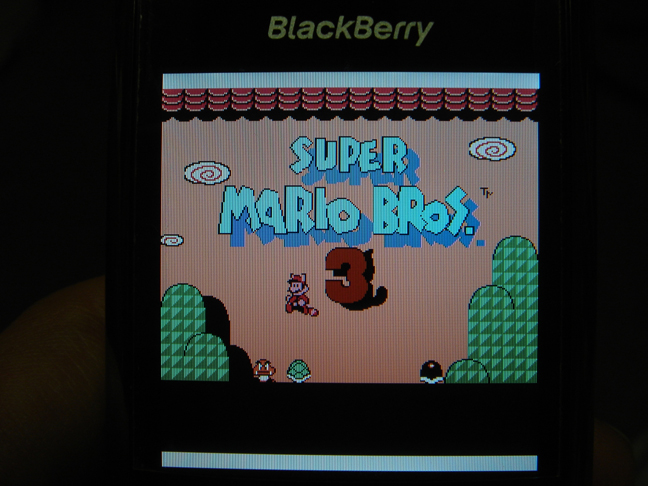
Video playback. I can catch up on anime :p, movies, tv shows, music videos... etc, when I'm waiting for someone... the only downside of that is having to encode to the supported formats. There is a post Here if you're interested.
1.3 megapixel camera. Ok.. I lied... it's not what drew me to this product at all :p on the contrary I'm pretty upset that there are not video capturing capabilities. The camera does have a flash, 5x zoom and a self-portrait mirror.
Storage capacity only limited to the size of the microSD card. I applied for my free 1GB MicroSD card but couldn't stand the 2-3 week wait so I went to an OEM dealer and picked up a 2GB card for $115... as far as I know 4GB cards are also available. :D I love that I can use my Pearl as a removable drive, heh.
Trackball. Even on first use the trackball feels very natural. It responds well and REALLY makes navigation much easier than the scroll wheel. On occasion I'll find that the trackball will move as I'm clicking on the icon of choice. I'm sure it's more of a user-error factor though.
Suretype keyboard. The keyboard is still QWERTY layout but using suretype technology. Since I was never a regular Blackberry user in the past (with full keyboard) I found the transition from my old phone to the Pearl effortless. Even though the keys are small, so far, I've only 'fat-fingered' a couple of times. :P
Honestly, there isn't much I don't like about it... I'm sure I could go on (but I won't). The one thing I DO have to mention is something that alot of people don't know about... AND probably the coolest feature about the PEARL...
Since the Pearl uses EDGE technology it also means that it can be hooked up to your laptop (via USB cable) and used as a modem for internet connectivity!!! I haven't manged to achieve that myself but then again I haven't made a wholehearted attempt yet. I've gone as far as setting everything up on the PC-end and attempting a connection, but failed because the source that I was referring to didn't seem to have a valid number listed. What do I need a number for? Well, the Pearl essentially acts the same way a dialup modem works, BUT the rate of data-transfer is much higher than a traditional phoneline!
HOW COOL IS THAT? or am I really that much of a dork? t('.'t)
I still have to go back in and figure out whether they charge extra for using it as a modem... I'm on the $60 light dataplan right now.. but hopefully I can upgrade to the $90 dataplan and have my employer pick up the bill :p They have a corporate plan with the same provider.
The price I paid ($249 on a 3yr contract) I was expecting it to make me breakfast too :@
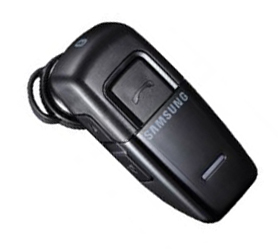 Yup, yup... another new toy for my Pearl :) This is one of (if not) THE smallest bluetooth headsets on the market today. I'm not usually one for gadgets 'n' such but I've had my handsfree plugged into the Pearl and I'm tired of having that wire dangling everywhere. Half the time it's being yanked on by accident and it's not a nice feeling on my ear. When I went to purchase the Pearl the salesman (also from Malaysia :D) tried to upsell to me. One of the things he brought out was the Samsung WEP200 bluetooth headset. I didn't buy it during that time because (like I said) I'm not one for gadgets... plus he said that if I decide to buy it within the next week he would give it to me for $75 as opposed to the retail price of $100. Nice pitch, huh? 2 weeks later I went back to pick it up... I still got the 'discount' price... no surprise there. Honestly, I was hoping that I would be able to listen to tunes (via the Pearl) but as of yet... I'm pretty sure I can't O.o ah well...
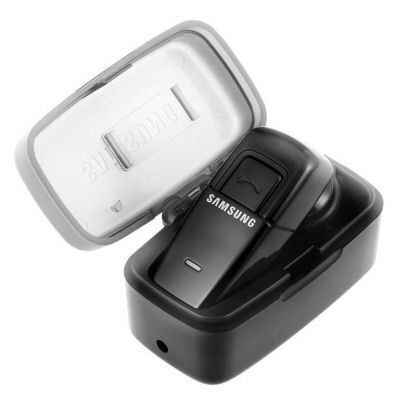 Regardless, I must say this is one fine piece of technology. It functions VERY well and picks up most sounds coming from the same room :p enough that the person on the other end can hear everyone's voices.. but not all the other ambient noise. The ear-piece is surprisingly comfortable and at 9grams the unit is feather-light! I'm still getting used to the timing and functionality... I ended up accidentally calling AK when I was trying to turn off the power :p Samsung came up with a combination charger/carrying case that comes with the headset. It's one of the most innovative / useful / functioning creations yet :)